
Start here: is a 3D printer for kids worth it?
If you have been down the YouTube rabbit hole and come out more confused than when you went in, this page fixes that. I teach technology to 200+ kids a week, and this is the honest version of what I would tell you after class: whether a 3D printer is worth it, which one to get, and what to do once it arrives. Written for parents of kids in grades 3 to 5.
Is a 3D printer for kids actually worth it?
A 3D printer is worth it when your kid wants to make things, not just own them.
Strong yes if
- Your kid builds with LEGO
- They draw or design their own ideas
- They’ll try something twice
Skip for now if
- You do not want your kid operating an iPad or laptop, and you do not want to be the operator yourself. A 3D printer needs access to one of these devices to design and print.
- Your kid mainly wants one from YouTube, or drops hobbies after a week
- You have no time to do it with them. Hands-off, any 3D printer gathers dust; a few short sessions a week is the floor.
Quick test: ask your kid to name three things they would make in the first month. A specific, excited answer, like “a little unicorn I can take everywhere, a crown for my teddy bear, and a tiny treasure chest,” is a green light. A shrug is a yellow one.
Which printer should you buy?
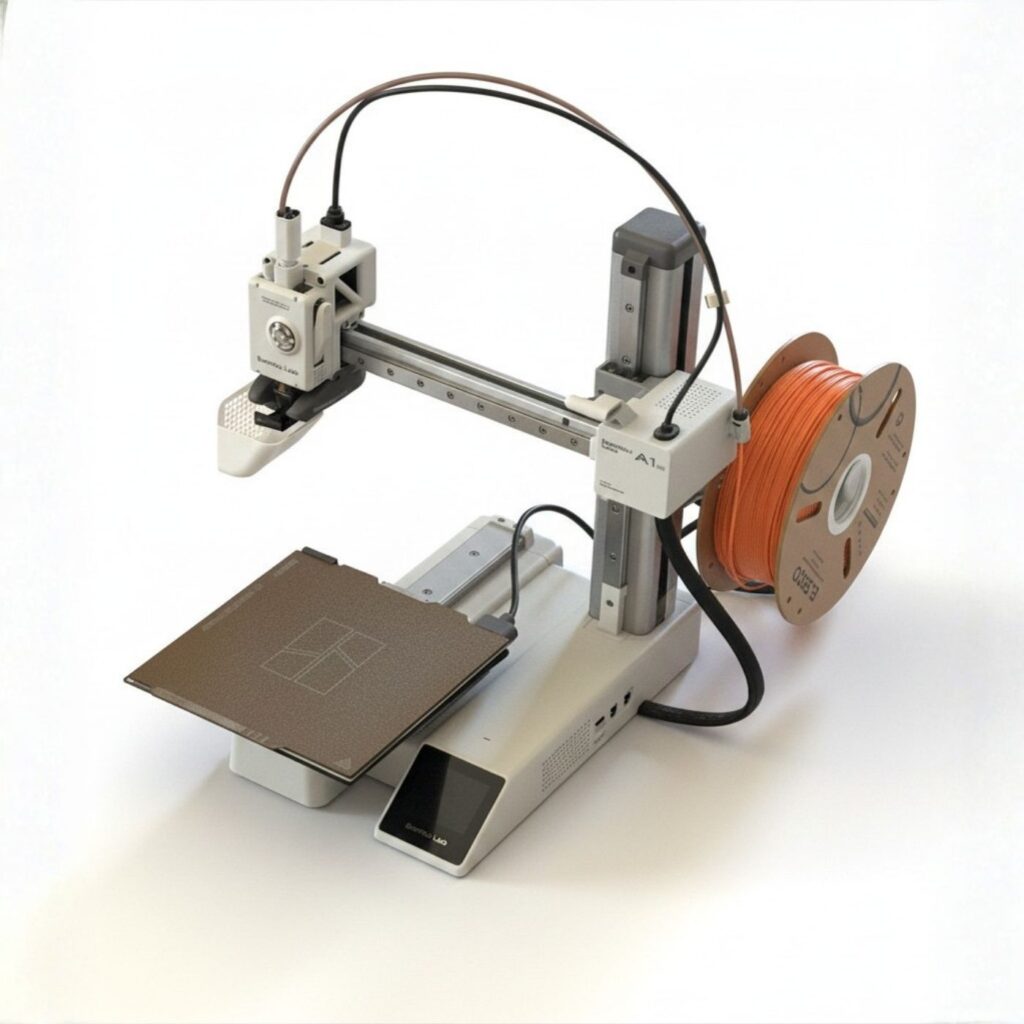
A Bambu Lab A1 Mini.
For a kid starting out, the Bambu Lab A1 Mini is the one I recommend without a long list of caveats: it is close to “press print,” it is small and quiet enough for a kid’s room or a kitchen table, and it costs about what a game console does.
Avoid the cheap printers marketed “for kids,” which break easily and frustrate everyone. The best first printer is the one that gets your kid making this week, not the one with the longest spec sheet.
What to do once it arrives
The trap is downloading a model, hitting print, and calling it done. The printer becomes a vending machine for plastic, and three weeks later it is cold. The thing that keeps a kid hooked is designing, not downloading. We don’t just download a unicorn. We sketch it, build it in Tinkercad, then print it. The work is the fun part.
Good first projects: something they dreamed up, something for a toy they already love, or one redesign of a model they found, made bigger or with their name on it.
Do you have to give your kid an iPad?
No. The design step happens on a screen, but that does not mean handing over a personal tablet. Do it on a shared family computer, sitting next to your kid, for a short stretch, then close the laptop and go build something real. The screen is a tool for making, not an open door to scrolling. It is not the iPad, it is what they are doing with it.
You don’t have to be the expert
You do not need to be techy or become a maker yourself. The kids I teach need an adult who is interested and who treats a failed print as information, not a disaster. That, the printer, and ten minutes of you a few times a week is the whole formula.
Ready to start?
I am putting the entire first-twelve-weeks path into one kit: which printer and settings, the first projects in order, and what to do when a print fails. It is not on sale yet. Join the list and you will be first to know when it opens, at $59.
Not ready to decide? Start with email.
Drop your email and I’ll send you the essentials over the next week — whether 3D printing is worth it for your family, which printer to start with, and the first few things to make. Honest and useful, no spam.